
Executive Summary: The Verdict
Alright, so Silverfort is basically an identity security platform that helps your company check the boxes your cyber insurance company is demanding about Multi-Factor Authentication (MFA). Here’s the thing—it’s really good at protecting the stuff that other MFA solutions totally miss: old legacy systems, command-line access, service accounts, and all those weird forgotten corners of your IT infrastructure that keep your underwriter up at night.
Is it a silver bullet? Nope. But if your insurance broker just told you that you’ve got MFA gaps, you should definitely pay attention. We’ve put together this deep dive to help you figure out if it’s actually right for your company, how it compares to other options, and what you might run into along the way.
Table of Contents
The Core Problem—Why Cyber Insurers Mandate Unified MFA
The Underwriter’s Checklist: What Are Insurers Looking For?
The cyber insurance market has undergone a seismic shift over the past three years. Ransomware losses have climbed to record levels, and insurers have responded by hardening their underwriting standards. Today’s cyber insurance policies are no longer sold on brand reputation alone—they’re priced and approved based on demonstrable security controls.
At the center of this new underwriting framework is a deceptively simple requirement: comprehensive Multi-Factor Authentication (MFA). However, what “comprehensive” means has become increasingly complex.
When we speak with insurance brokers and risk managers, they consistently report that underwriters are asking:
✅ Comprehensive MFA Coverage — Is MFA deployed across all user accounts, or only on high-value systems? Are there exceptions? Legacy applications that bypass MFA are red flags.
✅ Least Privilege Access — Are users operating with excessive permissions? Are service accounts—non-human identities used for automation—properly controlled?
✅ Protection for Command-Line & Remote Access — SSH, RDP, and other privileged protocols are common attack vectors. Are these channels protected?
✅ Real-Time Monitoring & Anomaly Detection — Is the organization merely checking the box on MFA, or are they actively monitoring for suspicious identity behavior?
✅ Service Account Management — Non-human identities are often overlooked in traditional MFA deployments. Are these accounts secured and monitored?
The industry has learned this lesson the hard way. During the Cl0p ransomware campaign (2023-2024), attackers repeatedly exploited MFA-free service accounts and legacy systems that had been “forgotten” in network documentation. Insurers, facing enormous claims, now demand evidence that these blind spots have been eliminated.
This is where Silverfort enters the equation. It addresses a specific and critical gap in the traditional MFA landscape: the assets that most MFA solutions cannot protect.
How Silverfort Solves the Problem—A Technical Breakdown
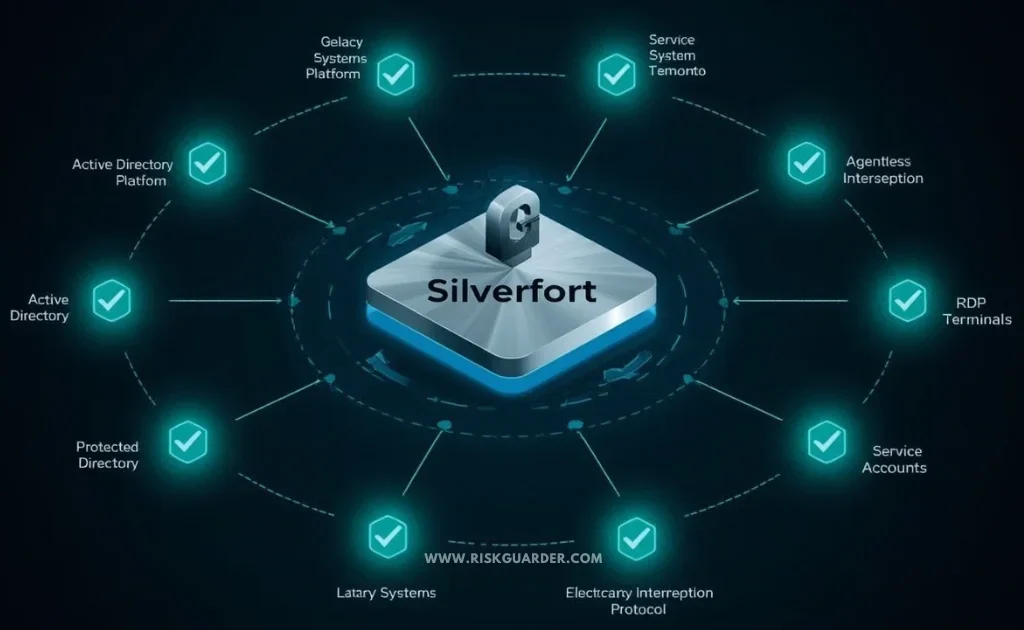
The “Agentless” Approach Explained
Silverfort operates on a fundamentally different principle than conventional MFA providers like Okta or Duo. Rather than requiring agent software to be installed on each endpoint or application, Silverfort uses an agentless architecture that intercepts identity protocols at the network level.
Here’s how it works in practice:
1. Protocol Interception — Silverfort sits in the identity flow by integrating with your existing Active Directory infrastructure. It monitors and intercepts authentication protocols (such as RADIUS, LDAP, and Kerberos) before they reach protected systems.
2. Policy Enforcement — When a user or service attempts to authenticate, Silverfort evaluates that request against configured policies. If MFA is required, it triggers an additional verification step (push notification, TOTP, hardware token, etc.).
3. Session Management — Once authenticated, Silverfort maintains continuous visibility into the session. It can enforce policies, monitor behavior, and revoke access if anomalies are detected.
4. Legacy System Compatibility — Unlike agent-based solutions, Silverfort doesn’t require changes to the target application or system. This is critical for legacy environments where modifying or patching the application is difficult, expensive, or impossible.
The architectural advantage is significant. Traditional MFA solutions require each application to support MFA natively or via a software agent. In heterogeneous environments—which most enterprises operate in—this creates gaps. Silverfort closes those gaps by operating at the protocol level, making it application-agnostic.
Three Key Use Cases for Insurance Compliance
Use Case 1: Legacy Systems & Applications
Many organizations operate business-critical systems that were built before MFA became standard. A manufacturing firm might rely on a 15-year-old ERP system. A healthcare provider might use a legacy patient database. A financial services firm might depend on in-house trading platforms built in-house two decades ago.
Modernizing these systems is often prohibitively expensive or operationally risky. Insurers understand this—but they also understand the risk. These systems often lack native MFA support, making them prime targets for attackers.
Silverfort allows organizations to add MFA protection to these systems without requiring code changes or vendor updates. From the insurer’s perspective, this demonstrates that the organization has made a deliberate effort to close a known vulnerability.
Use Case 2: Command-Line & Remote Access (SSH/RDP)
System admins and developers live on SSH. IT folks use RDP constantly. But here’s the dirty secret—traditional MFA solutions are kinda bad at protecting these channels. It’s like they forgot those tools even existed.
Silverfort extends MFA to SSH and RDP sessions by intercepting authentication at the protocol level. This means that every command-line session requires MFA verification, and every remote desktop connection is protected. This is a critical capability because:
- Attackers specifically target these channels — They know that compromised SSH credentials provide lateral movement and persistence.
- Insurers explicitly ask about these protocols — Security questionnaires frequently include questions about SSH/RDP protection.
- Compliance frameworks mandate it — CIS Controls and NIST frameworks both recommend MFA for remote administrative access.
Use Case 3: Service Accounts & Non-Human Identities
Perhaps the most overlooked aspect of identity security is service account management. Service accounts are non-human identities—often stored in configuration files, environment variables, or embedded in applications—that perform automated tasks.
A typical enterprise might have hundreds or thousands of service accounts. They’re often:
- Poorly documented — IT teams frequently lose track of which service accounts exist and what they’re used for.
- Rarely audited — Unlike human user accounts, service accounts often escape the annual access review cycle.
- Long-lived — Passwords may never be rotated, or if they are, the changes aren’t propagated properly.
- Highly privileged — They often have broad permissions because they were created to “just work.”
Service account compromise is a common initial access vector. Once an attacker obtains a service account credential, they have a permanent foothold in the environment—no human involvement required.
Silverfort brings MFA-like protection to service accounts through policy-based restrictions and real-time monitoring. While traditional MFA doesn’t apply to non-human identities, Silverfort can enforce rules like “this service account can only authenticate from this IP range” or “alert if this account is used outside business hours.” From an insurance compliance perspective, this is powerful evidence that the organization has thought about and mitigated a critical risk category.
Real-World Implementation—Evidence from the Field
Case Study Analysis: From Deployment to Policy Approval
To understand how Silverfort impacts cyber insurance eligibility, let’s walk through a realistic scenario.
The Scenario: A mid-sized manufacturing organization (approximately 800 employees) operates a blend of modern cloud applications and legacy on-premises systems. Their existing security posture includes Okta for cloud app SSO and a basic remote access VPN. However, they also run:
- A legacy MRP (Materials Requirements Planning) system on Windows Server 2012 R2
- Multiple Linux servers accessed via SSH by the engineering team
- Dozens of service accounts that automate data synchronization between systems
- A legacy manufacturing execution system (MES) that predates cloud computing
When they began shopping for cyber insurance renewal, the underwriter’s initial response was: “Your MFA coverage has significant gaps. Specifically, we need to see MFA on your SSH access, your legacy MRP system, and evidence of service account protection.”
This is a common rejection scenario. The organization had to choose:
- Modernize the legacy systems (18-24 months, $2M+, operational risk)
- Accept higher premiums or policy restrictions (costly and leaves them exposed)
- Deploy Silverfort (6-12 weeks, $200K-400K, addresses the specific concerns)
They chose option 3.
Implementation Timeline:
- Week 1-2: Design review. Silverfort architects worked with the organization’s IT team to map out the deployment. Key decision: integrate Silverfort with their existing Active Directory infrastructure to minimize changes.
- Week 3-6: Pilot deployment on a subset of SSH servers and the legacy MRP system. Limited user population to validate the approach.
- Week 7-8: Policy tuning. The team configured MFA requirements, exception policies, and monitoring rules based on pilot feedback.
- Week 9-12: Full rollout to production systems. All SSH access, RDP sessions, and legacy system access now required MFA.
Insurance Approval:
Armed with implementation documentation, Silverfort’s technical specifications, and evidence of real-time monitoring, the organization’s broker presented the case to the underwriter. The conversation went something like this:
Organization: “We have deployed an identity protection platform that extends MFA to our legacy systems, command-line access, and service accounts. Here is our architecture diagram and a sample of our audit logs showing MFA enforcement.”
Underwriter: “Is this solution from a recognized vendor? Do they have references?”
Broker: “Yes, Silverfort is a specialized identity security vendor. They work with enterprises in regulated industries. Here are three customer references.”
Underwriter: “Acceptable. We will approve your renewal at standard rates, with a condition that you maintain this control for the policy period.”
This is a simplified version of the real process, but it illustrates the key point: Silverfort transforms a compliance gap into an approved control in a matter of weeks, without requiring massive infrastructure changes.
The Competitive Landscape & Limitations
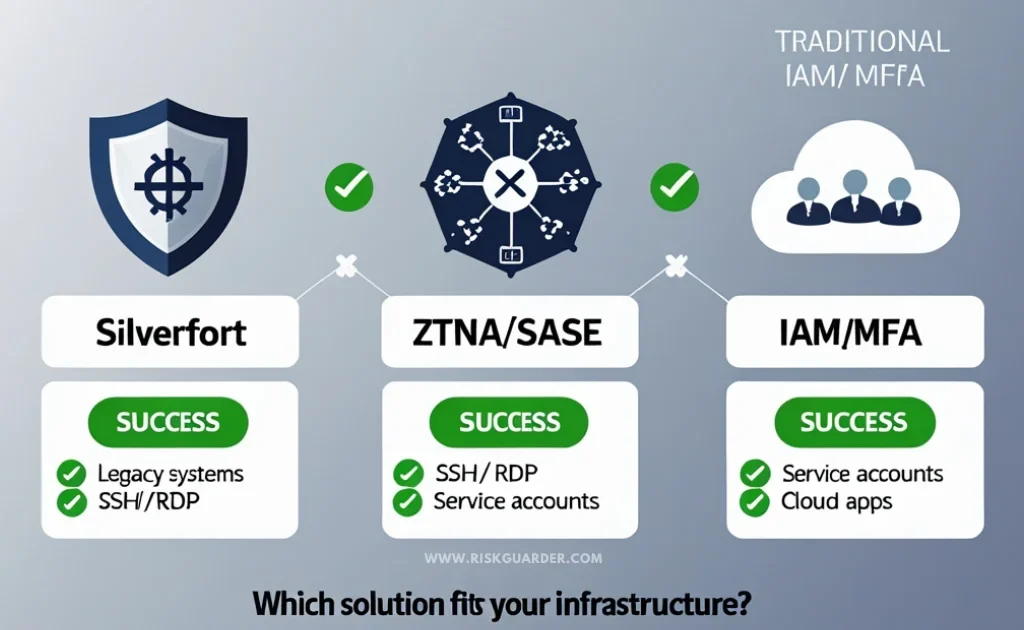
Silverfort vs. The Alternatives: A Comparative Framework
When evaluating solutions for cyber insurance compliance, you’re not just choosing between Silverfort and other vendors—you’re choosing between fundamentally different architectural approaches. Each has strengths and weaknesses.
| Approach | Silverfort | ZTNA/SASE Platforms | Traditional IAM/MFA |
|---|---|---|---|
| Best Use Case | Extending MFA to complex, heterogeneous, legacy-heavy environments | Securing remote access for modern, cloud-first organizations | Standard user logins to cloud SaaS applications |
| How It Works | Monitors identity protocols at the network level (agentless) | Creates a secure network overlay; encrypts all traffic; agent-based | Integrates directly with applications or via LDAP/SAML connectors |
| Installation Complexity | Moderate; requires Active Directory integration | High; requires client deployment and network architecture redesign | Low to moderate; depends on app support |
| Coverage for Legacy Systems | Excellent | Poor; legacy systems often incompatible | Poor; requires native application support |
| Coverage for SSH/RDP | Excellent | Good | Limited |
| Coverage for Service Accounts | Very Good; policy-based controls and monitoring | Good; can enforce device trust, but service account nuances missed | Limited; traditional MFA doesn’t apply |
| Insurance Recognition | Growing; CISO community awareness increasing | High; ZTNA is widely referenced in insurance questionnaires | Universal; foundational requirement |
| Cost | $200K-500K annually (typical mid-market) | $300K-1M+ annually (comprehensive SASE stack) | $50K-200K annually (Okta, Duo, etc.) |
| Learning Curve | Moderate | High | Low to moderate |
Why These Alternatives Fall Short for Silverfort’s Specific Use Cases
ZTNA & SASE Platforms (like Cloudflare, Zscaler, Fortinet Secure Access) are powerful tools, and many organizations benefit from them. They’re excellent at securing remote access and enforcing zero-trust principles. However, they have a critical limitation: they assume modern infrastructure.
When you need to let someone SSH into a 20-year-old on-premises server? Or when you’ve got a service account that needs to talk to some ancient mainframe? ZTNA solutions either can’t do it, or you need to make crazy network changes to make it work. That’s a pain.
Traditional IAM & MFA Providers (Okta, Duo, Microsoft Entra ID) are industry standard and universally recognized by insurers. They should be your foundation. However, they have an inherent limitation: they require application integration. If your application doesn’t natively support SAML, OpenID Connect, or RADIUS, traditional MFA can’t protect it without agent deployment—and agent deployment isn’t possible for many legacy systems.
Silverfort’s Advantage: It fills the gap that ZTNA and traditional MFA leave open. It’s not meant to replace these solutions; rather, it’s meant to complement them and provide coverage where they can’t reach.
Potential Limitations to Consider—Building Trust Through Transparency
To maintain our commitment to unbiased analysis, we must also address where Silverfort is not the best solution and what potential challenges exist.
1. Deployment Complexity in Mixed Environments
Silverfort is basically built on top of your Active Directory setup. If you’ve got a messy situation—multiple Active Directory forests, you’re in the middle of migrating AD, fragmented identity infrastructure—deployment gets harder. You might need to clean house first.
2. Reliance on Existing Directory Services
Here’s the thing—Silverfort makes your identity setup better. It doesn’t fix a broken foundation. If your Active Directory is already a mess, with bad governance and poor access controls, Silverfort’s value is limited. You gotta fix that first.
3. Cost Considerations
While Silverfort is often more cost-effective than a complete infrastructure overhaul, it’s not inexpensive. Organizations with tight IT budgets may find it difficult to justify, especially if traditional MFA and ZTNA solutions are already in place and covering the majority of use cases.
4. Behavioral Monitoring Learning Curve
Silverfort includes behavioral analysis and anomaly detection capabilities. These are powerful, but they require tuning. Expect a 4-8 week period of “learning” where the system is establishing baselines and may generate false positives. Teams unprepared for this tuning period may become frustrated.
5. Insurance Underwriter Familiarity
Silverfort’s getting more well-known, especially among security pros. But some of the old-school, traditional insurance companies? They might be like, “Um, what?” They might ask for more references or documentation. It’s changing, but it’s worth knowing.
6. Integration with Existing MFA Solutions
Yeah, it’s usually cheaper than a massive infrastructure overhaul. But $200K-$500K a year still isn’t pocket change. If your budget’s tight and you’ve already got Okta and ZTNA, your CFO might ask why you need another tool. Fair question.
These limitations are not deal-breakers—they’re realities that should inform your decision-making process.
A Checklist for Your Insurer Conversation
How to Discuss Silverfort with Your Insurance Broker or Underwriter
When you’re explaining Silverfort to your insurance broker or underwriter, you want to sound like you know what you’re doing. Here’s how to do that:
Opening Statement:
“We found some gaps in our MFA coverage—specifically around legacy systems, command-line access, and service accounts. We’ve implemented Silverfort, which is an agentless identity protection platform, specifically to close those gaps. Here’s what we’re protecting…”
Key Points to Emphasize:
Point 1: Real-Time Audit Logging
- “All authentication events are logged and retained for 12 months.”
- “We can provide sample audit logs demonstrating MFA enforcement.”
- Bring actual logs. Show them that you’re monitoring.
Point 2: Policy-Based Access Control
- “We have configured policies that restrict access based on time, location, and device posture.”
- “Service accounts are restricted to specific source IPs and cannot authenticate outside designated windows.”
Point 3: Integration with Existing Controls
- “Silverfort works alongside our existing identity provider [Okta/Duo/etc.] and doesn’t replace it.”
- “We have layered controls: traditional MFA for cloud apps, Silverfort for legacy systems, [ZTNA solution] for remote access.”
Point 4: Vendor Credibility
- “Silverfort is used by enterprises in regulated industries including financial services and healthcare.”
- “Provide two or three customer references if your vendor can facilitate them.”
Specific Claims to Support:
When you make a claim, be prepared to support it:
| Claim | Evidence You Should Have |
|---|---|
| “We have comprehensive MFA coverage” | List of systems protected; audit log samples; exceptions documented and justified |
| “Our service accounts are protected” | Service account inventory; policy rules; monitoring alerts |
| “We monitor for anomalous access patterns” | Sample alerts; response procedures; incident examples (if applicable) |
| “Our solution is production-hardened” | Implementation timeline; user feedback; uptime metrics |
Questions to Ask the Underwriter:
After you present, ask clarifying questions to understand if Silverfort addresses their concerns:
- “Does this solution satisfy your MFA requirements on the security questionnaire?”
- “Are there additional controls or documentation you would like to see?”
- “Are you familiar with Silverfort, or would a call with the vendor’s solution architect be helpful?”
Frequently Asked Questions About Silverfort for Insurance Compliance
What is the typical deployment time for Silverfort?
Most companies get it running in 8-16 weeks. But it depends. Got a simple setup? Maybe 2-4 weeks for a test. Big, complicated environment? Longer. Companies with their IT infrastructure documented well and a solid team usually move faster.
Does Silverfort replace my existing MFA provider like Okta or Duo?
Nope. Think of it differently. Okta and Duo handle cloud apps and regular logins. Silverfort handles legacy systems, SSH, RDP, and service accounts—the stuff those tools can’t reach. You’re managing both, and they work together.
How does Silverfort help with ransomware prevention?
Not directly. But it removes things attackers rely on. It blocks unprotected SSH access and service account compromise, and it watches for suspicious patterns. Is it a ransomware solution? No. Is it part of your defense? Absolutely.
Is Silverfort recognized by major cyber insurers like AIG, Chubb, and Beazley?
Silverfort’s recognition varies by underwriter and region. Major insurers are increasingly aware of identity-based security tools, but Silverfort is newer than traditional MFA solutions like Okta or Duo. We recommend discussing Silverfort directly with your broker or underwriter to confirm whether they recognize it as a compliant control. Providing customer references and technical documentation significantly improves acceptance.
How much does Silverfort cost?
Mid-market companies usually spend $200K-$500K per year. Could be less, could be more. Get a quote from Silverfort based on your actual situation. Don’t forget to factor in your team’s time for setup and managing it.
What happens if an employee forgets their MFA token or loses their phone?
Silverfort has backup and recovery options. Your IT team can issue temporary bypass codes or set up backup methods. You just need clear procedures documented. Plan for this during setup.
Can Silverfort prevent insider threats or malicious employees?
It can spot weird behavior—weird login times, impossible travel scenarios, suspicious commands. But it’s not a full insider threat solution. You’d need other tools for that. Silverfort’s more about making it harder for anyone (insider or outsider) to do bad things.
Does Silverfort work in cloud environments, or is it only for on-premises?
If you’re purely cloud-based with no on-premises Active Directory, Silverfort’s value drops. Cloud-native MFA solutions already cover most of that. Silverfort really shines in hybrid and legacy-heavy environments.
What if our organization is in the midst of a digital transformation or cloud migration?
Totally. While you’re migrating, Silverfort can protect your legacy systems so you’re not on the clock. But your long-term plan should be moving to cloud-native solutions as you retire old systems. Silverfort buys you time.
How is Silverfort different from other “agentless” identity solutions?
Silverfort is specifically optimized for extending MFA to legacy systems, SSH/RDP, and service accounts. Other agentless solutions exist, but Silverfort’s focus and maturity in these specific areas is what makes it valuable for insurance compliance. Evaluate based on your specific use cases.
Key Takeaways—What You Need to Know
As we’ve explored throughout this analysis, Silverfort addresses a genuine and increasingly critical gap in cyber insurance compliance. Here are the essential points to retain:
The Problem is Real: Cyber insurers are demanding comprehensive MFA coverage, and traditional solutions leave significant blind spots—legacy systems, command-line access, and service accounts remain largely unprotected in most enterprises.
Silverfort’s Solution is Sound: By operating at the protocol level, Silverfort can extend MFA protections where agent-based solutions can’t reach, without requiring changes to legacy applications.
Implementation is Practical: Organizations can deploy Silverfort within 8-16 weeks, at a reasonable cost, without requiring a complete infrastructure redesign.
Limitations Are Real: Silverfort is not a universal solution. It’s optimized for specific use cases. Organizations with primarily cloud-based infrastructure, or those with weak underlying identity governance, may not derive maximum value.
Insurance Recognition is Growing: While Silverfort is not yet as universally recognized as Okta or traditional MFA, its profile is increasing. Documentation and customer references are your best tools for explaining its value to underwriters.
Multi-Layered Defense is the Goal: Silverfort is one piece of a comprehensive identity security strategy. Combine it with traditional MFA (Okta, Duo), ZTNA solutions (Cloudflare, Zscaler), and strong identity governance practices.
Conclusion: Making Your Decision
If your organization’s cyber insurance underwriter has flagged MFA gaps related to legacy systems, SSH/RDP access, or service accounts, Silverfort is worth serious evaluation. It’s a specialized tool that solves a specific problem—one that affects a surprising number of enterprises.
Our analysis is based on our official RiskGuarder Review Methodology, which prioritizes evidence-based assessment, vendor-agnostic analysis, and practical applicability. We’ve synthesized insights from real deployments, competitor research, and insurance industry feedback to provide you with the most actionable guidance available.
The question isn’t whether Silverfort is “good” in abstract—it’s whether Silverfort solves your specific problems within your specific constraints. Use the framework, comparisons, and checklists provided in this analysis to guide your evaluation.
Your insurance broker and internal IT team are valuable resources. Bring them into this decision with clear, documented information—which you now have.